Isik's Tech Documentation Tools
Open-source tools for writing better hardware documentation. Initially built for Isik's Tech docs, open-sourced so others can use them too.
-
PinConnect
PinConnect turns a photo of a circuit board into an interactive pinout: hover or tap a connector to see its pinout. Make one in the browser at pinconnect.isiks.tech, or render it from a config on the command line.
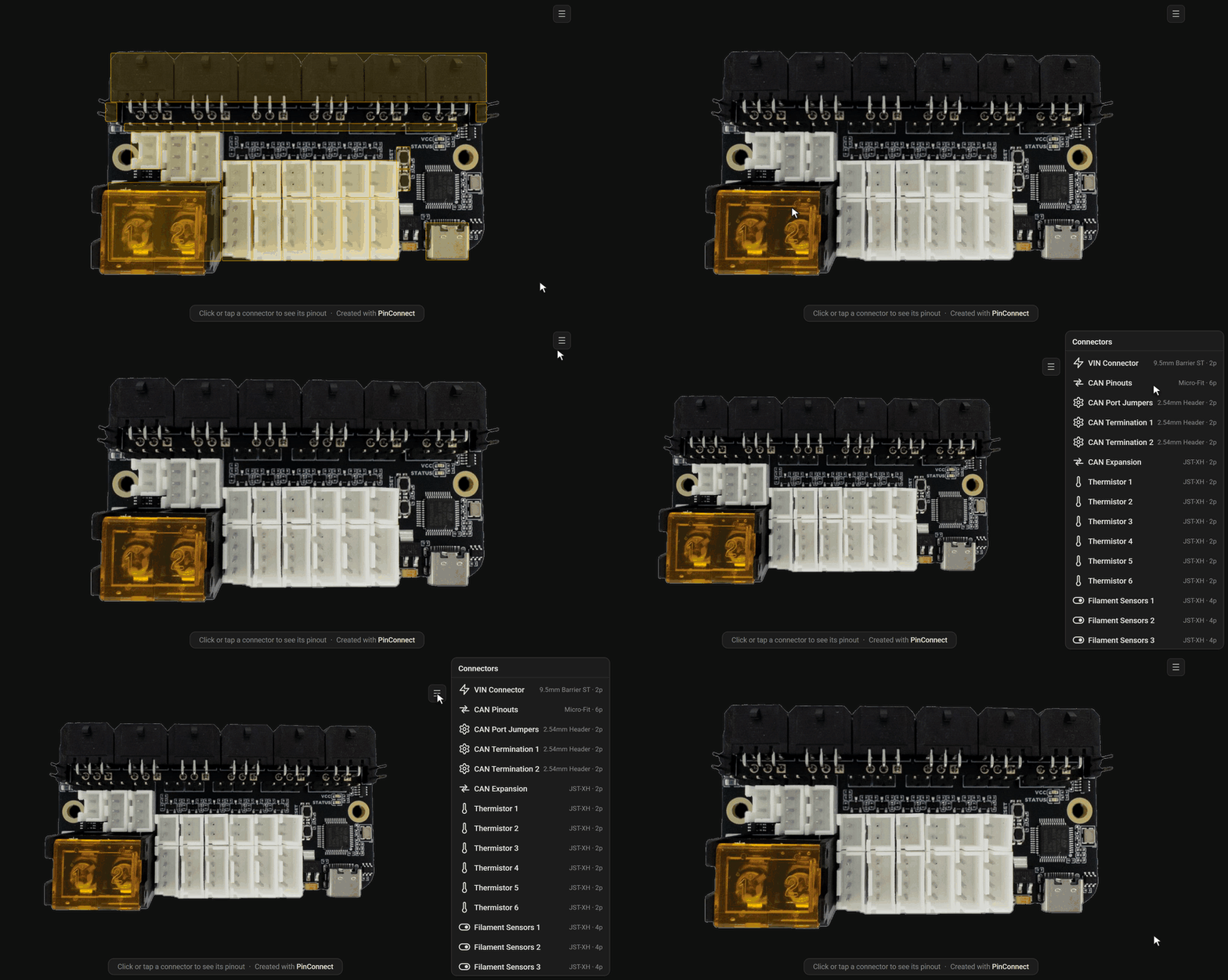
A generated pinout for the Birds' Nest CAN board — hover a connector on the board for its pinout, or open the connector list to browse every connector at once.
Above pinout was generated for OwlFC-Mini docs using PinConnect with a custom theme, embedded with md-iframe.
-
3DStep
3DStep turns a CAD assembly into step-by-step interactive 3D assembly instructions: each step shows the parts it installs, moves them into place with arrows, and frames them from a good angle, and the reader can turn the model to look closer. Build them in the browser from a STEP file at 3dstep.isiks.tech, or render them from a project file on the command line.
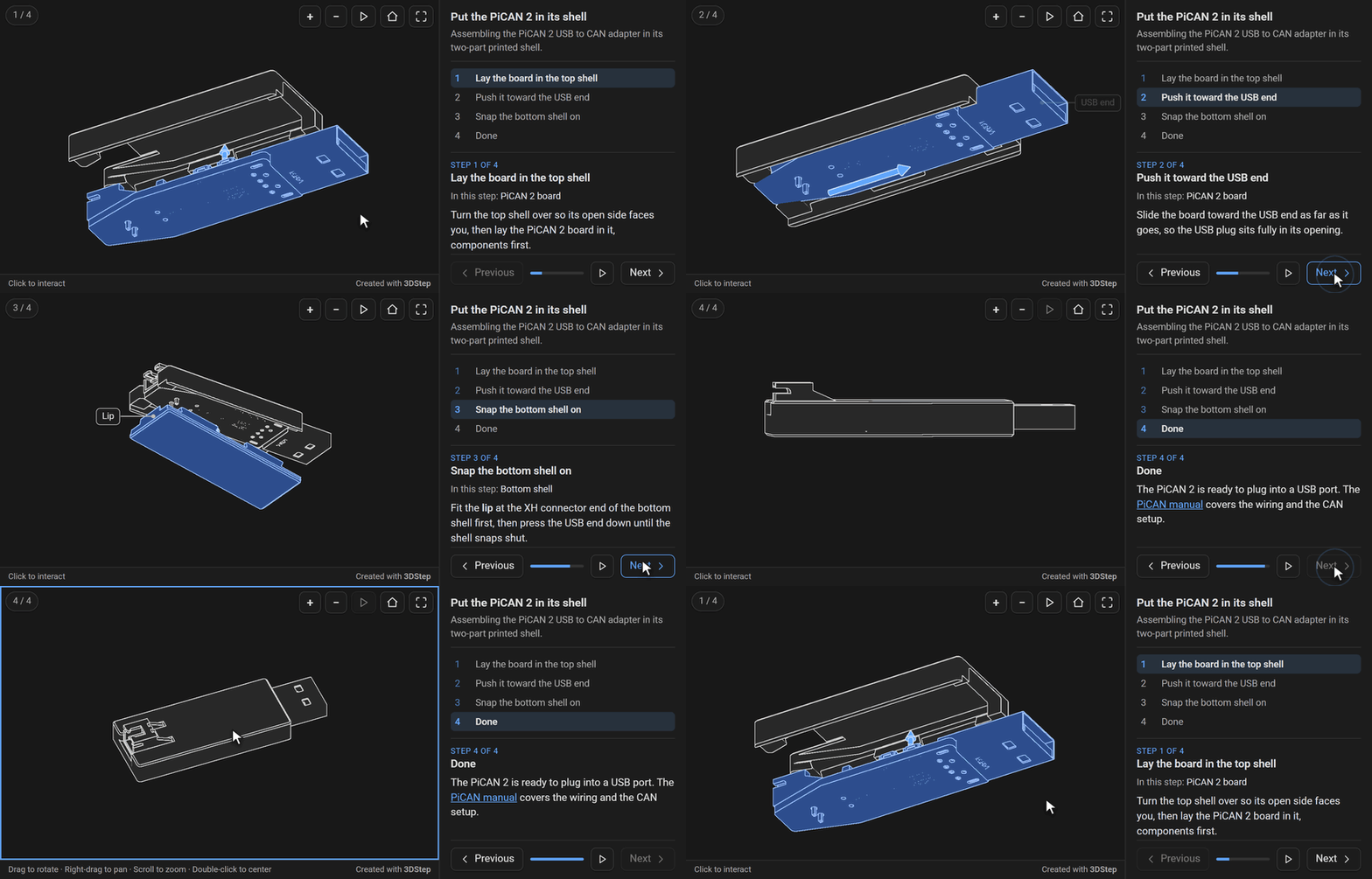
Assembly instructions for a PiCAN 2 USB to CAN adapter going into its printed shell — press Next and each part moves into place, or turn the model to look closer.
Above page was generated with 3DStep using a custom theme that matches this site, embedded with md-iframe.
-
md-iframe
A Python-Markdown extension for MkDocs and Zensical sites. It turns an image-style tag into an
<iframe>that sizes itself to the page inside it and shows a visible error when the file is missing. Supports syncing dark/light mode and automatic resizing.
Coming from pinout-gen or pinout-embed? Nothing breaks; see Migrating from the old names.
License
PinConnect, 3DStep and md-iframe are licensed under GPL-3.0. Their source is on GitHub: xbst/PinConnect, xbst/3DStep and xbst/md-iframe.